
Account settings and preferences
Managing your FlopHero account is fast and straightforward. This guide explains how to update your profile, control notifications, and personalize your display options so the platform fits your workflow.
Accessing Your Account Settings
Click your profile icon in the top right corner of the FlopHero interface. It may appear as an avatar or your initials. From the dropdown menu, select Account to open your settings panel.
If you’re new to the platform, see the FlopHero Interface Overview article for setup guidance.
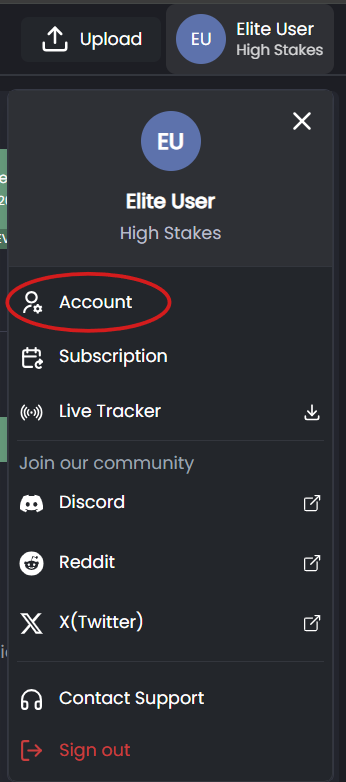
Profile menu in the top-right corner with Account option selected
Profile Information
In the Profile section, you can manage your main account details:
- Name - Update your display name as you want it to appear across the platform.
- Email Address - Used for login, account recovery, and important notifications. Keep it current.
- Password - Change your password regularly to maintain account security.
- Language - Select your preferred language for menus and dashboards.
For guidance on strong password creation, review Account Security Best Practices.
Getting Help
If you run into issues with your account settings, the Help Center has detailed troubleshooting guides.
You can also reach out to the FlopHero community on Discord for quick answers from other users and the support team.
For billing and subscription questions, see the Subscription and Billing article.
Was this article helpful?
Still need help?
Join our community
Get instant support from experts and fellow players
Join Discord Community