
Split View
Split View is a powerful feature in the Strategies section that divides a player's range into separate columns for each possible action. This lets you see exactly which hands are used to bet, check, raise, or fold, along with their GTO frequencies.
While Range View provides a complete overview of the strategy, Split View is essential for detailed analysis of how different parts of a range are used. It helps you understand the logic behind GTO decisions and identify leaks in your own game by comparing your action frequencies to the solver's.
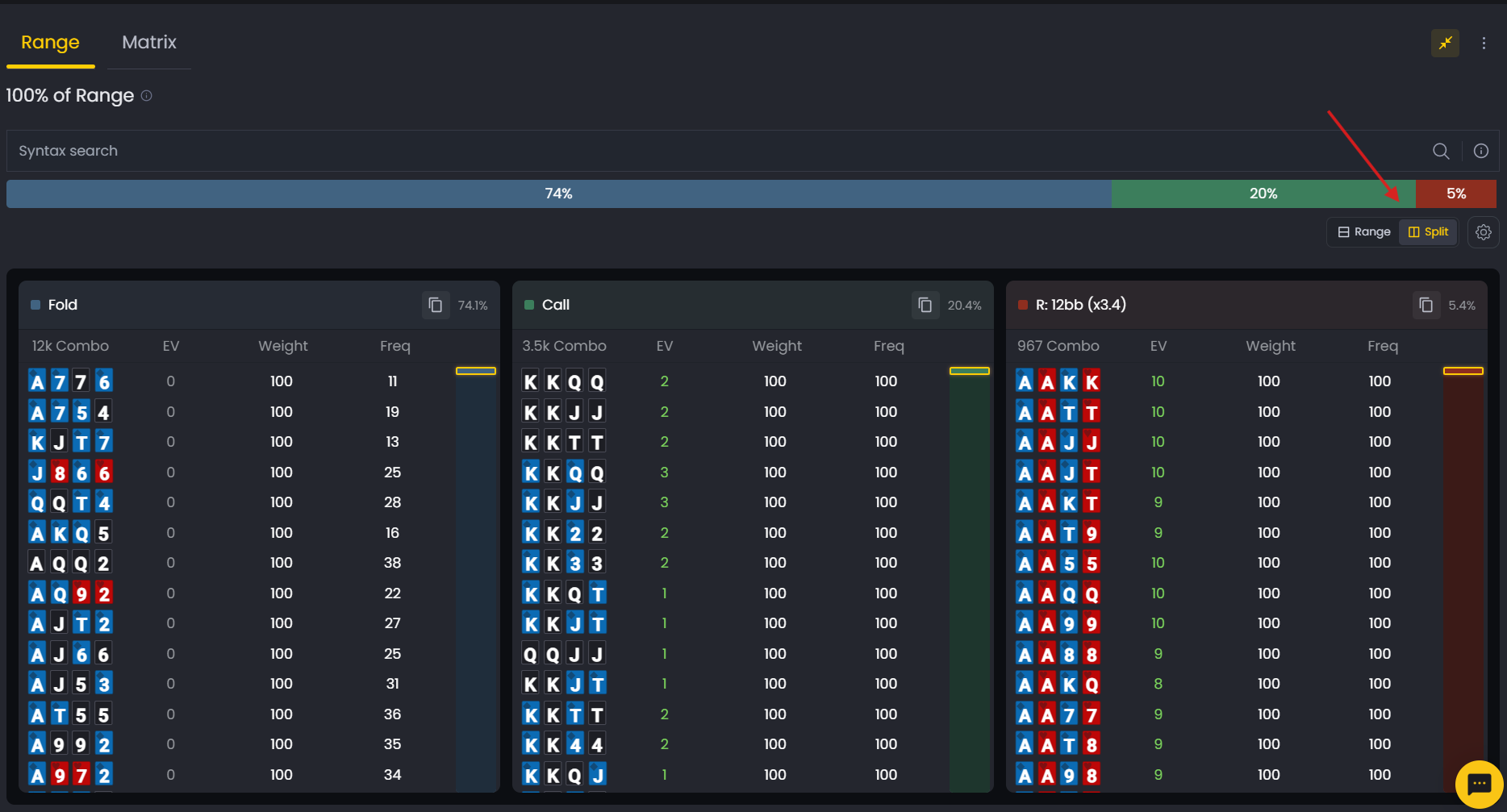
What You're Looking At
When you activate Split View, the range is organized into vertical columns, one for each available action (e.g., Fold, Call, Raise). Each column displays the hands that take that action, along with key metrics. This gives you a clear, side-by-side comparison of how different hands are played.
- Action Column: A separate column for each action (Fold, Call, Bet, Raise).
- Action %: The GTO frequency for that action, shown at the top of the column.
- Combo Count: The total number of hand combinations taking that action.
- Hand List: The specific four-card combos played with that action.
- Metrics: Customizable columns showing EV, Weight, Freq, and more.
How to Customize Columns
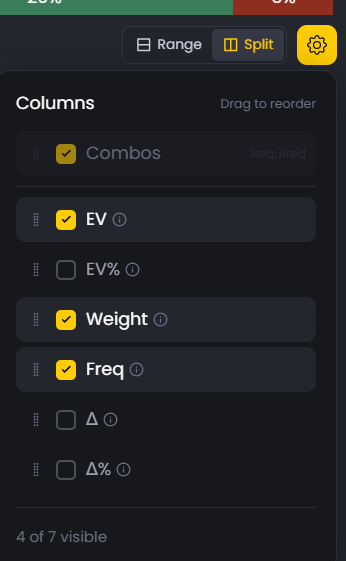
Split View allows you to customize the data you see for each hand. Click the settings icon (⚙) next to the Split button to open the Columns panel. Here, you can select which metrics to display and reorder them to fit your study needs.
- Combos: Shows the hand's card combination (required).
- EV: The hand's Expected Value in big blinds.
- EV%: The hand's Expected Value as a percentage of the pot.
- Weight: The hand's frequency in the overall range.
- Freq: The frequency with which the hand takes that specific action.
- Δ: The absolute EV difference compared to the best alternative action.
- Δ%: The percentage EV difference compared to the best alternative action.
Finding Your Leaks
Split View is one of the best tools for identifying strategic leaks. If you find yourself always betting a hand that the solver mixes between betting and checking, you are playing too predictably.
Compare the GTO frequencies in each action column to your own tendencies to find where you deviate.
This is also where the Copy Range feature becomes useful. Click the clipboard icon in any action column to copy the hands in that specific range. You can then paste this range into other poker tools for further analysis.
Was this article helpful?
Still need help?
Join our community
Get instant support from experts and fellow players
Join Discord Community