
Replayer interface guide
The Replayer is where you perform detailed hand analysis in FlopHero. It lets you review every street, compare your actions to GTO-optimal plays, and understand exactly why each decision gained or lost expected value.
Mastering the Replayer is essential for improving decision quality and eliminating leaks. This is where you turn raw data from your Handlist into actionable insights that improve your game.
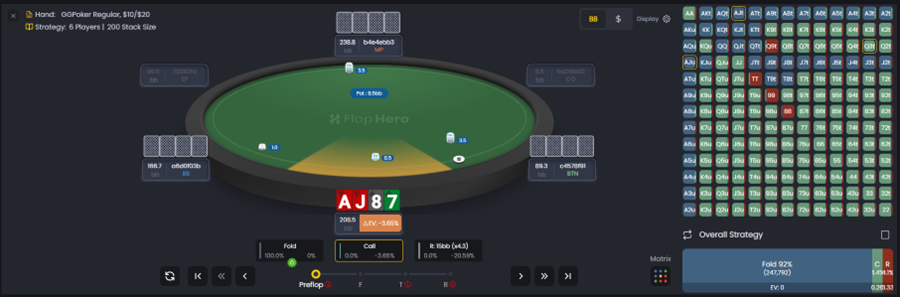
Replayer layout overview
The interface is divided into three main sections:
Hand viewer
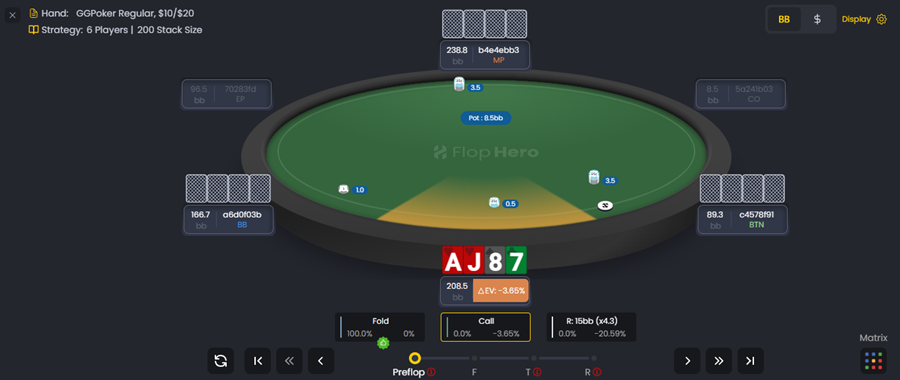
Displays the table layout, players, stacks, and the sequence of actions. This is the visual representation of the hand as it played out. You'll see:
- Player positions and stack sizes
- Your hole cards and the board
- The pot size at each decision point
Decision analysis panel
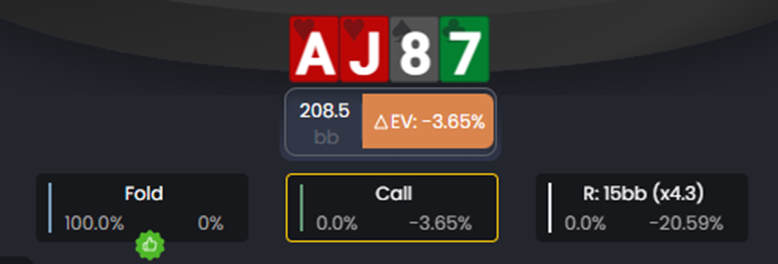
Shows the GTO-optimal strategy for the current decision, including frequencies for each possible action. This is the core of the Replayer. For each decision point, you'll see:
- The action you took (highlighted)
- The GTO-optimal action frequencies (bet %, check %, raise %, fold %)
- ΔEV - How much EV you lost by deviating from optimal
- EV Loss % - The severity of the mistake relative to pot size
Navigation controls

Allow you to move through the hand action by action or street by street. You can:
- Step forward or backward one action at a time
- Jump to specific streets (preflop, flop, turn, river)
- Use keyboard shortcuts for faster navigation
For efficiency tips, see Replayer tips and shortcuts.
Navigating through a hand
Use the navigation controls to move forward or backward through the hand. You can step street by street or jump directly to key actions for faster review.
This pacing control helps you isolate specific moments where major decisions occurred. Don't waste time reviewing streets where you played optimally - jump straight to the decisions that cost you EV.
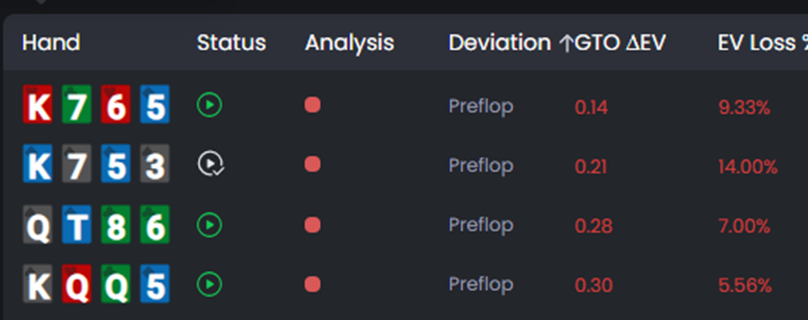
The Deviation column in the Handlist shows which street your mistake occurred on. Use this to jump directly to the problem spot instead of watching the entire hand play out.
Understanding the decision analysis panel
The Decision Analysis Panel is the core of the Replayer. For each decision point, it displays the solver's action mix - the percentage of time a GTO strategy would:
- Bet (and at what size)
- Check
- Raise (and at what size)
- Call
- Fold
Example: GTO might bet 65%, check 30%, and fold 5% in a specific spot. These frequencies show how balanced optimal play would be across your range.
To learn how these frequencies are generated and what they mean, read Understanding decision analysis.
Understanding the GTO strategy
The panel highlights the GTO-optimal action and compares it to your actual choice. When your decision deviates, it displays:
- What you should have done instead
- The ΔEV (Delta EV) - the exact expected value lost on that decision
- The EV Loss % - how severe the mistake was relative to the pot
This immediate feedback helps you pinpoint whether errors stem from range selection, bet sizing, or action choice. Reviewing these spots regularly sharpens both your theoretical understanding and your in-game execution.
Using the matrix view
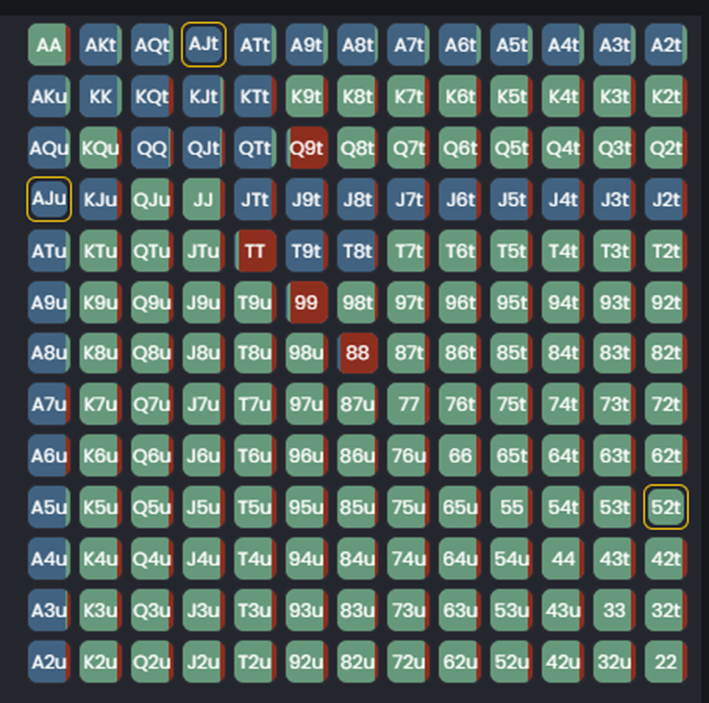
The Replayer also includes a Matrix View that shows GTO strategy across your entire range. This lets see the overall strategy of your rang and:
Which hands should bet, check, raise, or fold
How your specific hand fits into the overall strategy
Whether you're playing too tight or too loose in this spot
The Matrix View is especially useful for understanding range construction and seeing how GTO balances value bets and bluffs.
How to use the Replayer in your study routine
Here's a practical workflow for using the Replayer effectively:
Start with high-ΔEV hands. Sort your Handlist by GTO ΔEV and open the most expensive mistakes first.
Jump to the deviation. Use the Deviation column to see which street the mistake occurred on, then navigate directly there.
Analyze the decision. Look at the GTO frequencies and ask yourself: Why is this the optimal play? What was I thinking when I made my decision?
Check the Matrix View. See how your hand fits into the overall range strategy. Are you playing this hand class correctly in general?
Look for patterns. If you're making the same mistake repeatedly, use Reports to filter for that spot and study it systematically.
Take notes. Write down key insights so you remember them at the table. "Bet 75% with top pair+ on this texture" is more actionable than just reviewing the hand.
The Replayer is your most powerful tool for turning mistakes into improvements. Use it consistently and you'll see your decision quality improve session after session.
Was this article helpful?
Still need help?
Join our community
Get instant support from experts and fellow players
Join Discord Community