
Subscription and billing
FlopHero offers flexible subscription plans for every type of player, from casual learners to high-volume grinders. This guide explains how to manage your plan, update billing details, and access your payment history, including payments made in cryptocurrency.
Accessing Your Subscription Settings
Click your profile icon in the top-right corner of the interface and select Subscription from the dropdown menu.
This opens your Subscription and Billing Dashboard, where you can review your plan, manage payments, or make changes at any time.
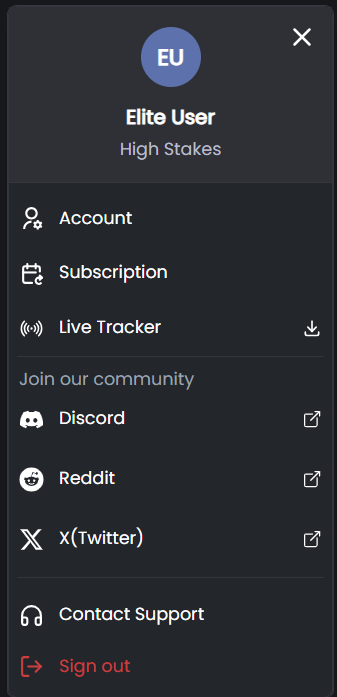
Access the Subscription option from your profile menu to manage your plan.
FlopHero Subscription Plans
FlopHero provides four subscription tiers to suit different playing stakes and study needs. Each paid plan offers full access to all features within your stakes level.
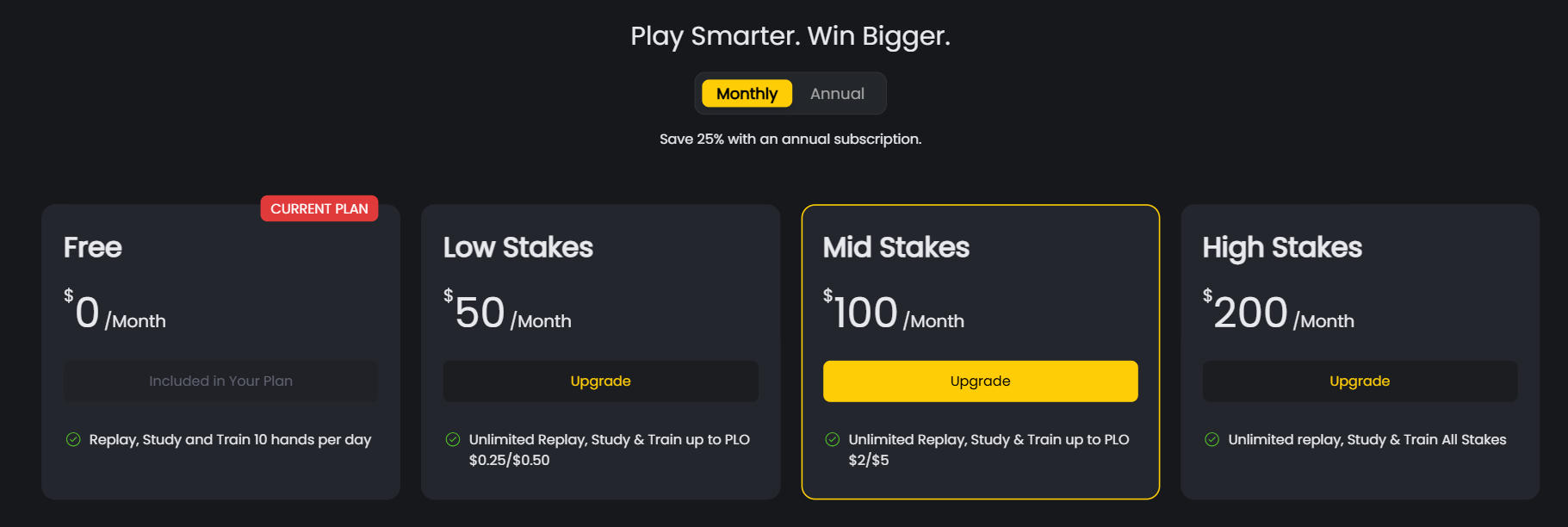
- The Free Plan lets you replay, study, and train up to 10 hands per day. No credit card is needed, and you can use it for as long as you want. It’s a great way to try FlopHero and see if it fits your workflow before committing to a paid plan.
- The Low Stakes plan costs $50 per month and gives you unlimited replay, study, and training for games up to PLO $0.25/$0.50. This plan is designed for players who are grinding low stakes and want to improve their game without breaking the bank.
- The Mid Stakes plan costs $100 per month and covers games up to PLO $2/$5. This is ideal for regular grinders who play mid-stakes cash games and want access to the full FlopHero toolkit for their stake level.
- The High Stakes plan costs $200 per month and includes unlimited replay, study, and training for all stakes. If you play PLO $5/$10 and above, this plan gives you access to every feature FlopHero offers, no matter how high the stakes go.
Billing Cycles and Discounts
You can choose between monthly and annual billing. Monthly billing charges you each month, giving you flexibility to cancel or change plans anytime. Annual billing charges you once per year and saves you 25% compared to paying monthly.
FlopHero also runs promotional discounts from time to time, especially for first-year annual subscriptions.
Managing Your Subscription
Your Subscription Dashboard gives you complete control:
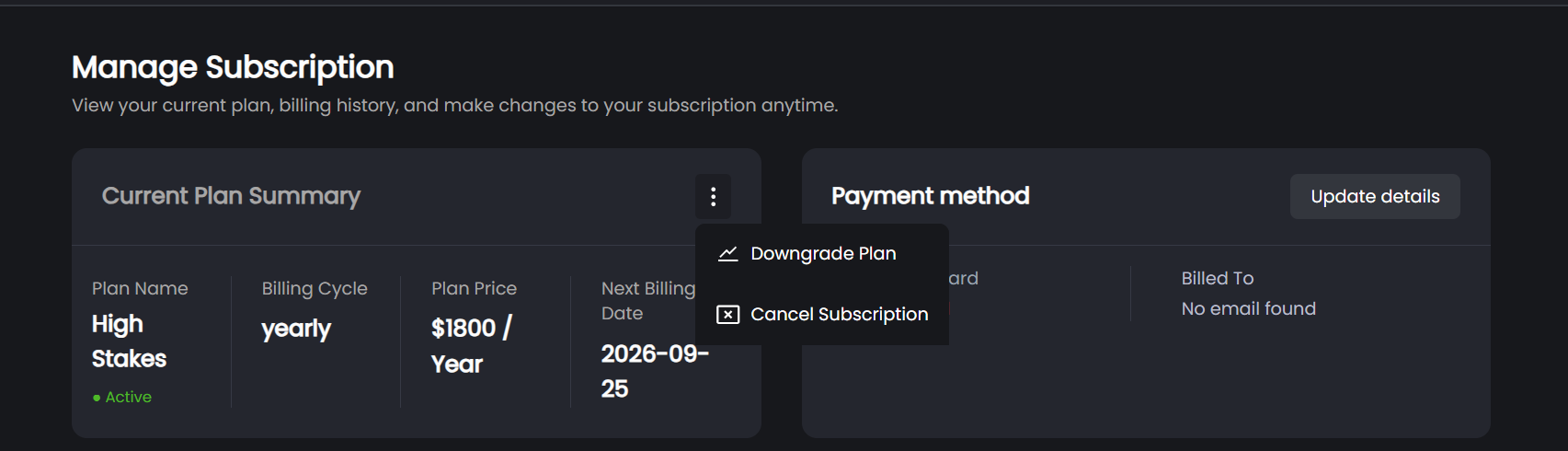
- Upgrade or Downgrade - Change plans anytime. Upgrades apply immediately with a prorated charge. Downgrades take effect at the start of your next billing cycle.
- Switch Billing Cycle - Choose between monthly and annual billing. Annual plans include a discounted rate.
- Cancel Subscription - Cancel anytime. You’ll retain access until the end of your current billing period, and no new charges will occur.
Payment Methods
FlopHero supports several secure payment options. All major credit and debit cards are accepted via Stripe, our encrypted and PCI-compliant payment processor. Your payment data is handled securely and never stored directly by FlopHero.
We also accept cryptocurrency payments in Tether (USDT). These payments are processed manually upon request through Discord. If you prefer to pay with crypto, reach out to the support team on Discord, and they’ll guide you through the process.
Billing History and Invoices
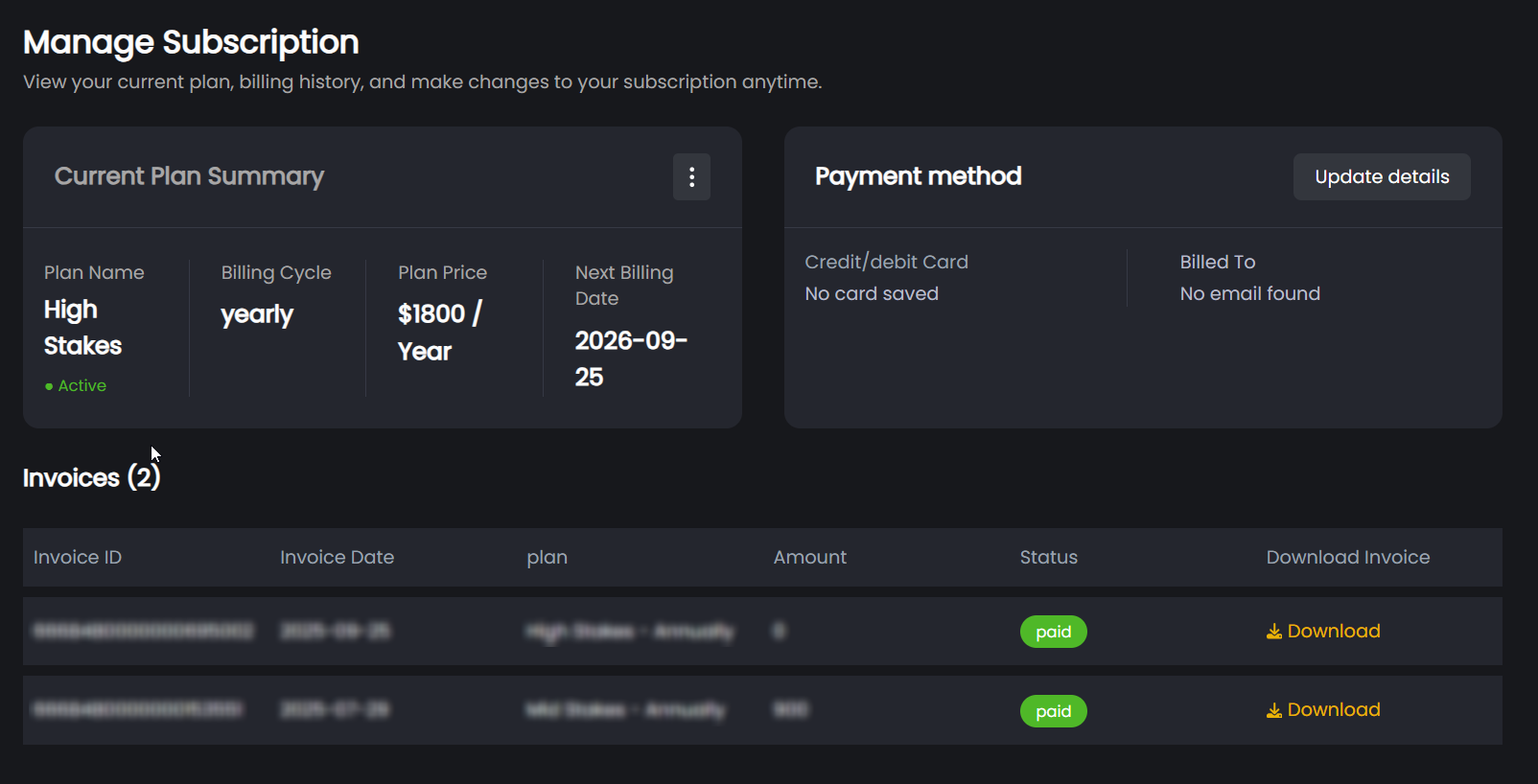
In your Subscription Dashboard, you can view your complete billing history. This includes every payment you’ve made, the date it was processed, and the amount charged. You can also download invoices for each payment, which is useful for expense tracking or tax purposes.
If you need a receipt or invoice for a specific payment, just click the download button next to that transaction. The invoice will be generated as a PDF you can save or print.
Need Help?
If you have questions about subscriptions, billing, or payments (including crypto), contact the FlopHero Support Team through Discord or the Help Center.
You can also visit the FAQ section for quick answers to common topics.
Was this article helpful?
Still need help?
Join our community
Get instant support from experts and fellow players
Join Discord Community